
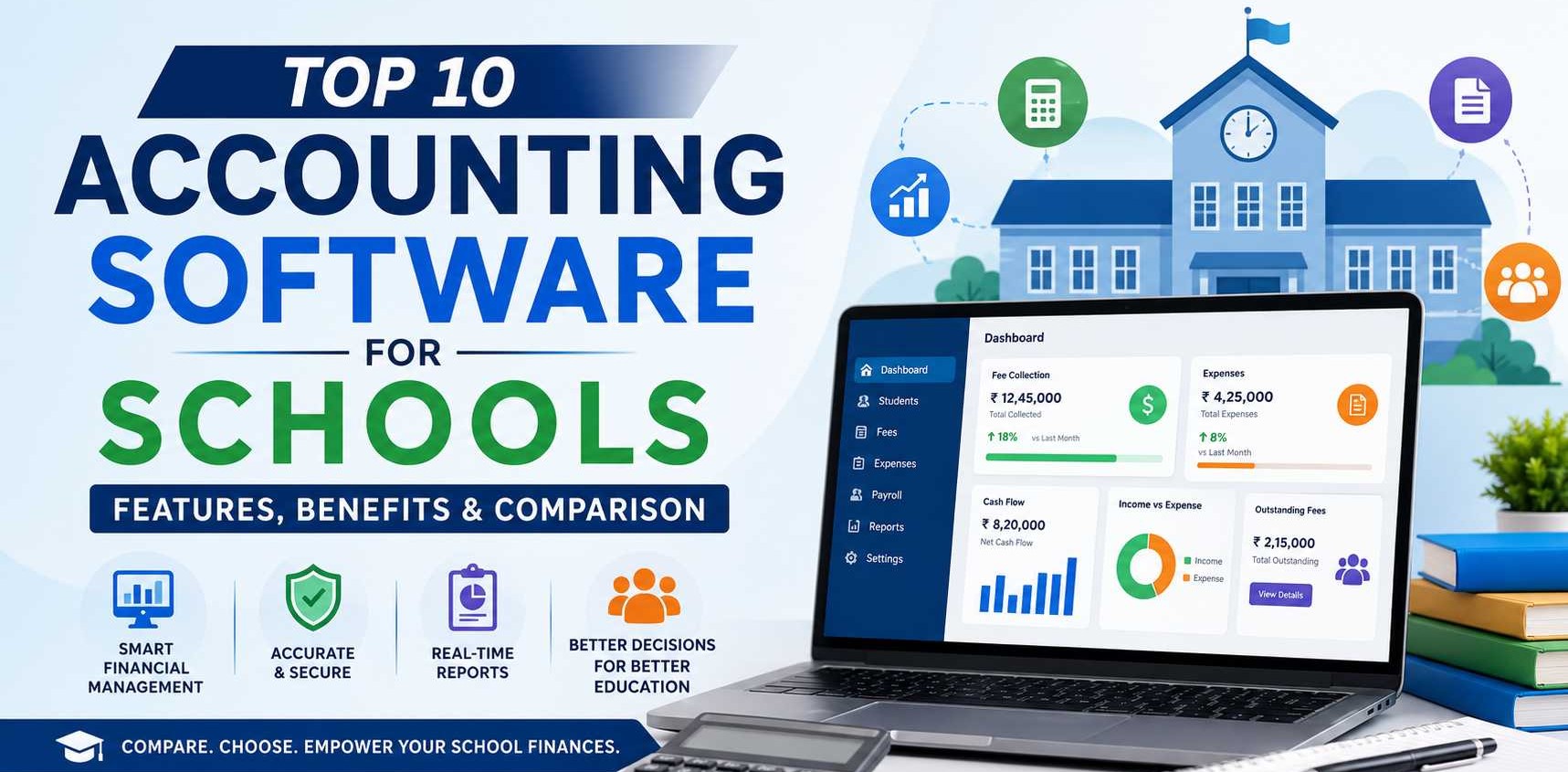
Managing school finances has become far more complex than maintaining ledgers and recording fee collections. Modern educational institutions handle thousands of financial transactions every month, including student fees, staff salaries, vendor payments, transportation charges, library fines, hostel fees, scholarships, taxes, and operational expenses. As schools continue to adopt digital systems, traditional bookkeeping methods are no longer sufficient to ensure accuracy, transparency, and regulatory compliance.
Accounting software for schools streamlines financial operations by automating repetitive tasks, minimizing manual errors, and providing real-time visibility into an institution's financial health. Whether it's a private school, public school, coaching institute, college, or multi-campus educational organization, the right accounting software helps administrators make informed financial decisions while saving valuable time.
This guide compares the top 10 accounting software for schools in 2026, highlighting their features, advantages, drawbacks, and ideal use cases to help you choose the best solution for your institution.
Importance of Accounting Software in Educational Institutions
Educational institutions handle a wide range of financial activities beyond collecting tuition fees. They must manage payroll, transportation expenses, infrastructure maintenance, vendor payments, scholarships, examination fees, library deposits, and statutory taxes.
Accounting software centralizes all these financial operations into a single system, enabling administrators to monitor cash flow, generate reports instantly, maintain accurate financial records, and comply with government regulations. It also reduces dependency on manual spreadsheets, which are prone to human error.
Financial Challenges Faced by Schools
Schools often encounter several financial management challenges, including:
- Manual fee collection leading to delayed payments
- Difficulty tracking outstanding student dues
- Managing payroll for teaching and non-teaching staff
- Budget planning across multiple departments
- Maintaining GST and taxation compliance
- Recording vendor payments and procurement expenses
- Preparing financial statements for audits
- Managing finances across multiple campuses
- Lack of real-time financial visibility
- Errors caused by duplicate or manual data entry
Without dedicated accounting software, these challenges can consume significant administrative time and increase the risk of financial inaccuracies.
How Digital Accounting Improves Transparency and Compliance
Digital accounting systems automatically record every financial transaction, creating a complete audit trail. This improves accountability and ensures that financial records remain accurate and easily accessible during internal reviews or statutory audits.
Modern accounting software also supports GST calculations, tax reporting, automated bank reconciliation, role-based access controls, and secure cloud backups. These capabilities help schools remain compliant with financial regulations while reducing administrative workload.
Additionally, administrators can generate detailed reports on fee collections, expenses, outstanding payments, payroll costs, and budgets in just a few clicks, making financial decision-making more data-driven and transparent.
What This Guide Covers
This comprehensive guide includes:
- Benefits of using accounting software in schools
- Essential features to consider before purchasing
- Comparison of the top accounting software solutions
- Pros and cons of each platform
- Best software recommendations for different school sizes
- Factors to consider when selecting accounting software in 2026
Why Schools Need Accounting Software
Simplifies Fee Collection
One of the biggest advantages of school accounting software is automated fee management. Schools can generate fee invoices, send payment reminders, track pending dues, and accept online payments through multiple payment gateways. This reduces manual work while improving fee collection efficiency.
Automates Accounting Processes
Modern accounting software automates routine financial tasks such as journal entries, ledger posting, invoice generation, expense recording, bank reconciliation, and report preparation. Automation minimizes errors and allows finance teams to focus on strategic financial planning.
Budget Planning and Expense Management
Schools operate with annual budgets that cover infrastructure, salaries, transportation, maintenance, technology upgrades, and academic resources. Accounting software helps administrators create budgets, monitor actual spending, compare planned versus actual expenses, and identify cost-saving opportunities.
Payroll Management
Managing salaries for teachers, administrative staff, and support personnel can be time-consuming. Accounting software automates payroll calculations, tax deductions, allowances, reimbursements, bonuses, provident fund contributions, and salary slips while ensuring timely payments.
Tax Compliance and GST Support
Educational institutions often need to comply with various taxation requirements depending on the services they provide. Accounting software automatically calculates GST where applicable, generates tax reports, maintains compliance records, and simplifies return filing, reducing the likelihood of errors and penalties.
Financial Reporting and Audits
Accounting software generates real-time financial reports such as balance sheets, profit and loss statements, cash flow statements, trial balances, fee collection summaries, and expense reports. These reports simplify audits and provide management with valuable financial insights.
Multi-Branch School Management
Educational groups operating multiple schools or campuses benefit from centralized accounting software. Administrators can monitor finances across all branches from a single dashboard while maintaining separate accounts, budgets, and financial reports for each location.
Key Features to Look for in School Accounting Software
Student Fee Management
The software should support fee structure creation, installment management, discounts, scholarships, penalties for late payments, outstanding balance tracking, and automated receipt generation.
Online Payment Integration
Integration with payment gateways allows parents to pay fees securely using debit cards, credit cards, UPI, net banking, digital wallets, and mobile banking, improving payment convenience and reducing collection delays.
General Ledger
A comprehensive general ledger records all financial transactions accurately and forms the foundation for generating financial statements, ensuring transparency and proper bookkeeping.
Accounts Payable & Receivable
The software should help schools manage vendor payments, supplier invoices, purchase orders, and outstanding receivables while improving cash flow management.
Payroll Processing
Payroll functionality should automate salary calculations, tax deductions, attendance integration, employee benefits, reimbursements, and payslip generation for both teaching and non-teaching staff.
Inventory & Asset Management
Schools often maintain inventories of books, laboratory equipment, computers, sports equipment, furniture, and other assets. Inventory management features help track stock levels, purchases, depreciation, maintenance schedules, and asset lifecycles.
Budget Management
Budget planning tools allow administrators to allocate funds across departments, monitor expenditures, compare actual spending against budgets, and optimize financial planning throughout the academic year.
GST & Taxation Support
Built-in GST compliance ensures accurate tax calculations, invoice generation, tax reports, return preparation, and regulatory compliance, reducing manual effort and financial risks.
Bank Reconciliation
Automated bank reconciliation compares bank statements with accounting records, quickly identifying missing transactions, duplicate entries, and reconciliation discrepancies.
Financial Reports & Dashboards
Comprehensive dashboards provide real-time insights into fee collections, revenue, expenses, cash flow, outstanding dues, profitability, payroll costs, and overall financial performance through customizable reports.
Multi-User Access
Accounting software should support multiple users simultaneously, allowing finance teams, school administrators, accountants, and management to collaborate efficiently while maintaining centralized financial records.
Role-Based Permissions
Role-based access controls ensure users only access information relevant to their responsibilities, improving data security and reducing the risk of unauthorized financial changes.
Cloud Backup & Security
Cloud-based accounting software automatically backs up financial data, encrypts sensitive information, and protects records from hardware failures, accidental deletion, cyber threats, and unauthorized access.
Parent Portal Integration
Integration with parent portals allows parents to view fee statements, payment history, invoices, receipts, due dates, and payment reminders online, enhancing transparency and improving communication between schools and families.
Mobile Accessibility
Mobile applications enable school administrators and finance teams to approve payments, monitor financial reports, track fee collections, manage expenses, and access accounting information anytime and from any location, ensuring greater operational flexibility.
Top 10 Accounting Software for Schools
1. TallyPrime
TallyPrime is one of the most widely used accounting software solutions in India. It is designed to simplify financial management, GST compliance, payroll, inventory management, and reporting for educational institutions. Schools can use TallyPrime to manage fee collections, staff salaries, vendor payments, budgeting, and statutory compliance from a single platform. Its intuitive interface and strong reporting capabilities make it a preferred choice for schools of all sizes.
Key Features
- Complete financial accounting and bookkeeping
- GST-compliant invoicing and taxation
- Payroll and employee salary management
- Budget creation and expense tracking
- Bank reconciliation
- Multi-user access with security controls
- Inventory and asset management
- Detailed MIS and financial reports
- Data backup and synchronization
- Audit trail for financial transparency
Pros & Cons
| Pros | Cons |
|---|---|
| Highly trusted accounting software in India | Requires training for beginners |
| Strong GST and taxation features | Limited cloud functionality compared to SaaS solutions |
| Excellent reporting and financial analysis | School-specific modules require customization |
| Reliable payroll management | Mobile features are limited |
| Suitable for medium and large institutions | Advanced features increase implementation complexity |
Best For: Small, medium, and large schools seeking a robust accounting solution with excellent GST compliance.
2. Busy Accounting Software
Busy Accounting Software is a comprehensive accounting and business management solution suitable for educational institutions that need accounting, billing, taxation, and inventory management. Schools can efficiently manage fee receipts, operational expenses, payroll, and vendor accounts while ensuring tax compliance.
Key Features
- Financial accounting
- GST billing and returns
- Payroll processing
- Budget management
- Fee receipt accounting
- Multi-branch accounting
- Inventory management
- Bank reconciliation
- Financial statements
- Role-based user permissions
Pros & Cons
| Pros | Cons |
|---|---|
| Affordable pricing | User interface appears outdated |
| Excellent GST support | Cloud version has limited capabilities |
| Easy financial reporting | Custom school reports may require setup |
| Multi-location accounting support | Mobile accessibility is basic |
| Suitable for growing schools | Fewer third-party integrations |
Best For: Schools looking for cost-effective accounting software with strong GST capabilities.
3. Marg ERP
Marg ERP offers integrated accounting, billing, taxation, inventory, payroll, and financial reporting features. Educational institutions can automate daily accounting operations while maintaining accurate financial records and compliance.
Key Features
- General ledger management
- Payroll processing
- GST accounting
- Expense monitoring
- Asset management
- Financial reporting
- Bank reconciliation
- Budget tracking
- User access management
- Multi-branch accounting
Pros & Cons
| Pros | Cons |
|---|---|
| Comprehensive accounting modules | Interface has a learning curve |
| Affordable implementation | Limited cloud-native features |
| Good inventory support | Requires customization for schools |
| Strong taxation features | Customer support response varies |
| Suitable for multiple campuses | Integration options are limited |
Best For: Schools requiring ERP-style accounting with inventory and payroll management.
4. Zoho Books
Zoho Books is a cloud-based accounting solution that helps schools automate bookkeeping, invoicing, expense management, banking, and financial reporting. Its automation capabilities reduce manual accounting tasks while enabling administrators to access financial information from anywhere.
Key Features
- Cloud accounting
- Automated workflows
- Expense management
- Bank reconciliation
- Vendor management
- Financial reporting
- Tax compliance
- Mobile application
- Multi-user collaboration
- Integration with Zoho ecosystem
Pros & Cons
| Pros | Cons |
|---|---|
| Fully cloud-based | Advanced modules available only in higher plans |
| Easy-to-use interface | Payroll support varies by region |
| Excellent automation | Requires internet connectivity |
| Strong mobile app | School-specific workflows need customization |
| Wide integration ecosystem | Subscription costs increase with growth |
Best For: Schools seeking modern cloud accounting with workflow automation.
5. QuickBooks
QuickBooks simplifies financial management through automated bookkeeping, invoicing, expense tracking, payroll, and reporting. Schools can monitor income, expenses, budgets, and financial performance with minimal manual effort.
Key Features
- Income and expense tracking
- Automated bookkeeping
- Payroll management
- Budget monitoring
- Financial reporting
- Bank synchronization
- Mobile accounting
- Tax preparation
- Invoice management
- Cloud backup
Pros & Cons
| Pros | Cons |
|---|---|
| Very user-friendly | Limited availability in some regions |
| Excellent automation | School-specific features are limited |
| Strong cloud accessibility | Higher pricing for premium plans |
| Mobile-friendly | Complex custom reporting |
| Fast setup | Some integrations require additional cost |
Best For: Small and medium-sized schools preferring cloud accounting with automation.
6. Sage Intacct
Sage Intacct is an enterprise-grade financial management platform that offers advanced accounting, budgeting, compliance, and reporting. It is particularly suitable for educational institutions with complex financial operations and multiple departments.
Key Features
- Advanced financial management
- Budget planning
- Multi-entity accounting
- Accounts payable and receivable
- Revenue recognition
- Audit management
- Custom dashboards
- Financial analytics
- Cloud deployment
- Automated workflows
Pros & Cons
| Pros | Cons |
|---|---|
| Enterprise-level accounting | Higher implementation cost |
| Advanced financial analytics | Requires professional training |
| Strong automation | Overpowered for small schools |
| Highly scalable | Longer deployment time |
| Excellent compliance tools | Premium pricing |
Best For: Large schools, educational groups, and institutions with complex financial structures.
7. FreshBooks
FreshBooks is a cloud-based accounting solution that simplifies expense management, invoicing, bookkeeping, and financial reporting. Schools with relatively straightforward accounting requirements can efficiently manage their finances through its intuitive interface.
Key Features
- Expense tracking
- Online invoicing
- Time tracking
- Financial reporting
- Cloud accounting
- Mobile access
- Bank reconciliation
- Automated payment reminders
- Multi-user access
- Tax reporting
Pros & Cons
| Pros | Cons |
|---|---|
| Extremely easy to use | Limited advanced accounting features |
| Clean cloud interface | Not designed specifically for schools |
| Mobile-friendly | Inventory features are basic |
| Fast implementation | Higher plans needed for advanced functionality |
| Good automation | Limited scalability for large institutions |
Best For: Small schools and coaching institutes with basic accounting needs.
8. Oracle NetSuite ERP
Oracle NetSuite ERP is a comprehensive cloud ERP platform offering financial management, procurement, budgeting, reporting, and enterprise resource planning. It is suitable for universities and large educational organizations requiring centralized financial control.
Key Features
- Financial management
- Budget forecasting
- Procurement management
- Multi-campus accounting
- Revenue management
- Real-time dashboards
- Financial analytics
- Cloud ERP
- Compliance management
- Business intelligence
Pros & Cons
| Pros | Cons |
|---|---|
| Enterprise-grade ERP | Very expensive |
| Highly scalable | Complex implementation |
| Advanced reporting | Requires dedicated IT support |
| Extensive customization | Training is essential |
| Strong cloud infrastructure | Not suitable for small schools |
Best For: Universities, educational trusts, and multi-campus institutions.
9. SchoolCues Accounting
SchoolCues Accounting is designed specifically for educational institutions and integrates accounting with school management functions such as fee collection, payroll, student information, and financial reporting.
Key Features
- School fee accounting
- Payroll management
- Parent payment portal
- Financial reporting
- Budget tracking
- Student account management
- Vendor payments
- Online payment integration
- Audit logs
- School management integration
Pros & Cons
| Pros | Cons |
|---|---|
| Built specifically for schools | Limited availability in some regions |
| Integrated fee management | Smaller integration ecosystem |
| Easy financial tracking | Customization options are limited |
| Parent payment support | Pricing varies by institution size |
| School-focused reports | Less suitable for non-school organizations |
Best For: Schools looking for integrated school management and accounting software.
10. Vyaaparkhata - Simplest Accounting Software
Vyaaparkhata is a lightweight accounting solution designed for businesses and educational institutions seeking simple bookkeeping, invoicing, expense tracking, and financial reporting. Its straightforward interface makes it suitable for schools with limited accounting expertise.
Key Features
- Digital bookkeeping
- Expense tracking
- Income management
- Invoice generation
- Financial reports
- Multi-user support
- Data backup
- GST billing
- Mobile accessibility
- Secure data management
Pros & Cons
| Pros | Cons |
|---|---|
| Very easy to learn | Limited advanced accounting features |
| Budget-friendly | Basic reporting capabilities |
| Suitable for beginners | Limited ERP functionality |
| Mobile accessibility | Fewer integrations |
| Simple bookkeeping | Less scalable for large institutions |
Best For: Small schools, coaching centers, and educational startups looking for simple and affordable accounting software.
How to Choose the Right Accounting Software for Your School
Selecting the right accounting software is an important decision that directly impacts a school's financial management, operational efficiency, and regulatory compliance. The ideal solution should not only simplify bookkeeping but also integrate seamlessly with fee management, payroll, budgeting, and reporting processes. Before making a decision, schools should evaluate the following factors.
School Size
The size of your institution significantly influences the type of accounting software you need. Small schools with limited staff may benefit from simple, affordable accounting solutions that offer essential features like fee collection, expense tracking, and financial reporting. Medium-sized schools often require additional modules for payroll, inventory management, and multi-user access. Large schools, colleges, and educational groups with multiple campuses should invest in enterprise-grade software capable of handling complex financial operations, centralized reporting, and branch-wise accounting.
Number of Students
The student strength determines the volume of transactions your accounting software must handle. Schools with a few hundred students require basic fee management capabilities, while institutions with thousands of students need software that can efficiently process high volumes of fee payments, refunds, scholarships, transport charges, hostel fees, and examination fees without performance issues.
Budget
Budget plays a crucial role in selecting accounting software. Schools should compare the initial purchase cost, subscription fees, implementation expenses, training costs, maintenance charges, and future upgrade costs. Cloud-based software usually offers affordable monthly or annual subscription plans, whereas on-premise solutions often require a higher upfront investment but may have lower recurring costs.
Cloud vs On-Premise
Schools should determine whether they need cloud-based or on-premise accounting software. Cloud solutions provide remote accessibility, automatic updates, and minimal IT maintenance, making them ideal for most modern institutions. On-premise software provides complete control over data and infrastructure but requires dedicated servers, technical expertise, and regular maintenance.
Integration with School ERP
The accounting software should integrate seamlessly with the school's ERP system. Integration enables automatic synchronization of student admissions, fee collection, payroll, attendance, inventory, transportation, hostel management, and examination data. This eliminates duplicate data entry and ensures accurate financial records.
Customer Support
Reliable customer support is essential for uninterrupted operations. Choose software vendors that offer multiple support channels, including phone, email, live chat, remote assistance, and comprehensive documentation. Quick issue resolution minimizes downtime and ensures smooth daily financial operations.
Customization Options
Every educational institution has unique financial workflows. Select software that allows customization of fee structures, receipt formats, financial reports, approval workflows, tax settings, user roles, and dashboards. Flexible customization ensures the software adapts to your institution rather than forcing you to change your processes.
Data Security & Compliance
School financial data contains sensitive information about students, parents, employees, and institutional finances. The accounting software should offer strong encryption, role-based access control, secure cloud storage, regular backups, audit logs, and compliance with applicable tax regulations such as GST. Robust security measures help prevent unauthorized access and data loss.
Common Challenges Schools Face Without Accounting Software
Managing school finances manually often leads to operational inefficiencies, errors, and compliance issues. Without dedicated accounting software, institutions may struggle to maintain accurate financial records while handling growing administrative responsibilities.
Manual Bookkeeping Errors
Manual accounting increases the likelihood of calculation mistakes, duplicate entries, incorrect ledger postings, and missing financial records. Even minor errors can affect budgeting, audits, and financial decision-making.
Delayed Fee Tracking
Tracking thousands of student fee payments manually is time-consuming. Schools may experience delayed payment updates, missed dues, incorrect outstanding balances, and difficulties in generating fee reminders.
Payroll Inaccuracies
Calculating salaries, deductions, allowances, taxes, provident fund contributions, and reimbursements manually often results in payroll errors that affect employee satisfaction and regulatory compliance.
Difficult Audit Preparation
Preparing for financial audits becomes significantly more challenging when records are maintained manually. Collecting invoices, receipts, vouchers, bank statements, and financial reports consumes considerable administrative time.
Lack of Financial Visibility
Without automated dashboards and reports, school administrators cannot easily monitor income, expenses, outstanding fees, budgets, or cash flow. This limits informed financial planning and decision-making.
Data Duplication
Using multiple spreadsheets and disconnected systems often results in duplicate data entry, inconsistent records, and increased chances of human error across departments.
Compliance Risks
Manual accounting increases the risk of missing GST filings, tax deadlines, payroll compliance requirements, and statutory reporting obligations, potentially resulting in penalties and legal complications.
Cloud-Based vs On-Premise School Accounting Software
Choosing between cloud-based and on-premise accounting software depends on your school's infrastructure, budget, security requirements, and operational preferences.
Cloud-Based Software
Cloud-based accounting software is hosted online and accessed through a web browser or mobile application. Users can securely access financial information from anywhere with an internet connection.
Advantages
- Accessible from any location and device.
- Lower upfront investment.
- Automatic software updates and security patches.
- Easy scalability as the school grows.
- Automatic data backups.
- Faster implementation.
- Reduced IT infrastructure requirements.
- Supports remote work and multi-campus management.
Limitations
- Requires a stable internet connection.
- Ongoing subscription costs.
- Limited control over hosting infrastructure.
- Dependence on the vendor for maintenance and updates.
On-Premise Software
On-premise accounting software is installed on the school's own servers and managed internally by its IT team.
Advantages
- Complete control over data storage.
- Works without continuous internet access.
- Highly customizable.
- Suitable for institutions with strict internal security policies.
- One-time licensing options may reduce long-term subscription costs.
Limitations
- High initial hardware and software investment.
- Requires dedicated IT staff.
- Manual software updates and maintenance.
- Higher backup and disaster recovery responsibilities.
- Limited remote accessibility.
Which One is Better for Schools?
For most schools, cloud-based accounting software is the preferred choice because it offers flexibility, lower maintenance, automatic updates, secure remote access, and easier scalability. It is particularly suitable for institutions with multiple branches or administrators who require access from different locations.
However, large educational institutions with dedicated IT infrastructure, strict internal security policies, or specialized compliance requirements may prefer on-premise solutions for greater control over their data and systems.
Tips for Successful Implementation
Implementing accounting software successfully requires careful planning, staff training, and ongoing monitoring. Following best practices helps ensure a smooth transition from manual processes.
Train Accounting Staff
Provide comprehensive training to accountants, finance officers, administrators, and other authorized users so they can confidently use the software's features and minimize operational errors.
Migrate Historical Financial Data
Transfer previous financial records, fee histories, employee payroll information, vendor details, and accounting ledgers carefully to ensure continuity and accurate reporting.
Set User Roles and Permissions
Assign role-based access permissions to protect sensitive financial information. Limit access according to employee responsibilities while maintaining accountability through audit logs.
Integrate Payment Gateways
Connect secure online payment gateways to enable parents to pay fees digitally using UPI, net banking, debit cards, credit cards, and other electronic payment methods.
Schedule Regular Backups
Whether using cloud-based or on-premise software, maintain regular backups to protect financial records from accidental deletion, hardware failures, or cyber threats.
Monitor Financial Reports Regularly
Review income statements, balance sheets, cash flow reports, fee collection summaries, payroll reports, and budget performance regularly to identify trends and make informed financial decisions.
Frequently Asked Questions (FAQs)
Which is the best accounting software for schools?
The best accounting software depends on your institution's size, budget, and operational needs. Popular choices include TallyPrime, Zoho Books, Busy Accounting Software, Oracle NetSuite, Sage Intacct, and school ERP solutions with built-in accounting modules.
Can accounting software manage student fees?
Yes. Most modern school accounting software includes fee management features that automate fee collection, generate receipts, track pending payments, manage concessions and scholarships, send payment reminders, and support online payment gateways.
Is GST billing available in school accounting software?
Many accounting software solutions offer GST-compliant invoicing, tax calculations, GST return preparation, and financial reporting to help schools comply with applicable tax regulations where required.
What is the average cost of school accounting software?
The cost varies depending on features, deployment type, and vendor. Cloud-based solutions may start from a few thousand rupees per year for small schools, while enterprise-level software for large institutions can cost significantly more due to licensing, implementation, customization, and support services.
Is cloud accounting software safe for educational institutions?
Yes. Reputable cloud accounting software providers implement advanced security measures such as encryption, multi-factor authentication, secure data centers, automatic backups, and role-based access controls to protect sensitive financial information.
Can accounting software integrate with school ERP systems?
Yes. Most modern accounting solutions can integrate with school ERP systems to synchronize admissions, student records, fee collection, payroll, inventory, transportation, hostel management, and other administrative functions.
Does school accounting software include payroll management?
Many accounting platforms include payroll modules that automate salary calculations, tax deductions, provident fund contributions, leave management, reimbursement processing, and employee payslip generation.
Which software is best for small schools?
Small schools generally benefit from affordable and user-friendly solutions such as Zoho Books, TallyPrime, Busy Accounting Software, or ERP systems with integrated accounting features that provide essential financial management without unnecessary complexity.
Can accounting software generate audit reports?
Yes. Most accounting software can generate audit-ready financial reports, including ledgers, balance sheets, profit and loss statements, cash flow reports, trial balances, GST reports, and transaction histories, simplifying audit preparation.
How long does implementation usually take?
Implementation timelines depend on the complexity of the institution and the software selected. Small schools can often complete implementation within a few days to two weeks, while large institutions with multiple campuses, extensive data migration, and ERP integration may require several weeks or a few months.